Opus 5.5 and Openverse API: automatic sound effect search for video
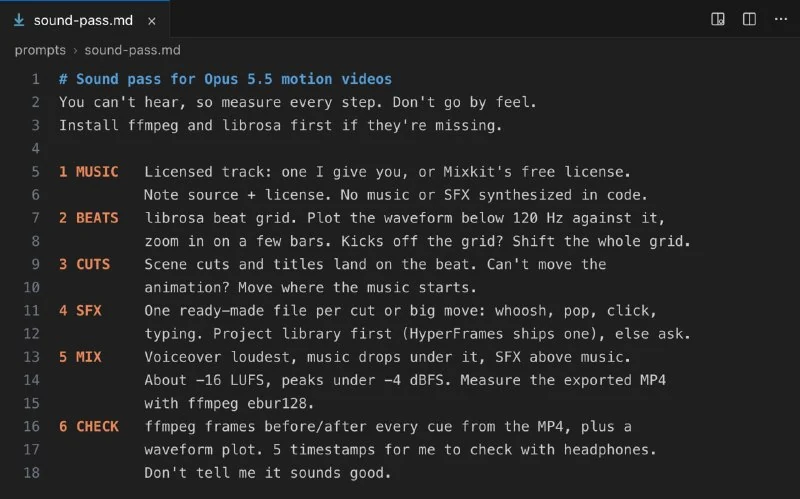
Opus 5.5 can search free sound effects through the Openverse API and place them in videos based on scene content.
We previously looked at how Opus 5.5 can add sound to video. There is another useful capability: the model can independently find missing sound effects.
To do this, give Opus 5.5 access to the Openverse API, which lets you search among 5.2 million free audio files. No API key or payment is required.
The library contains 590,000 sound effects and 640,000 music tracks.
Transition sounds, clicks, claps, ambient room noise — all can be found in the library.
If the Openverse API is used together with the prompt from the earlier material, Opus 5.5 can choose sound effects based on what happens in each frame and place them at the right moments in the video.
To do this, add the following instruction to the prompt:
If the project lacks a suitable sound effect, search Openverse — https://api.openverse.org

Use only results with `license=cc0,by,pdm` and `source=freesound,jamendo`. For each type of sound, perform the search only once (anonymous users are limited to 200 search requests per day).

Choose the most suitable effect based on the action in each frame, download the selected file by its URL with `curl` into the `sfx/` folder, and copy the `attribution` field of each result into `credits.txt` unchanged.
Why it matters
AnalysisThis matters because pairing an AI model with an open media catalog simplifies video production and helps maintain licensing attribution.
Discuss in community
Share your questions and insights with developers