Studying the internal operational directives of leading autonomous coding agents provides unparalleled insight into how frontier AI research labs architect resilient, production-grade systems.
The open-source repository claude-code-system-prompts by the Piebald team is the most exhaustive public archive of current Claude Code system prompts. It catalogues hundreds of system directives complete with exact token counts and comprehensive commit histories across releases.
1. What is the claude-code-system-prompts Repository
The repository serves as an authoritative living registry of all internal prompts powering Anthropic's official Claude Code command-line agent.
1.1. Origin and Mission of the Piebald Repository
Created to illuminate the architectural progression of Claude Code, the repository tracks over 500 distinct prompts as of Claude Code v2.1.234.
Beyond raw prompt strings, the project maintains an extensive CHANGELOG.md tracking prompt evolution across 250+ consecutive releases since v2.0.14.
1.2. Update Cadence and Historical Version Coverage
Automated scraping and decompilation workflows trigger within minutes of every new npm release published to @anthropic-ai/claude-code. Developers inspect real-time, ground-truth instructions rather than relying on stale documentation or speculative reverse-engineering.
A recent major update expanded the index from 350 to 515 entries, achieving complete coverage across the CLI's minified bundle.
2. Why Claude Code Uses Hundreds of System Prompts
A common beginner misconception is that an AI coding agent relies on a single monolithic system prompt governing all interactions.
2.1. Modular Architecture vs Monolithic Prompts
In complex production environments like Claude Code, agent behavior emerges from dynamic composition across multiple specialized modules:
- Conditional Environment Blocks: Directives injected dynamically based on user configuration flags, shell preferences, or host OS.
- Tool Descriptions: Exhaustive behavioural contracts for integrated tools (
Write,Bash,TodoWrite), some spanning several thousand tokens. - Specialized Subagents: Discrete prompts for internal autonomous agents such as
ExploreandPlan.
2.2. Conditional Injection and Dynamic Interpolation
The codebase also incorporates numerous auxiliary AI micro-prompts: context compaction routines, automated CLAUDE.md generation, session title synthesis, and strict safety boundary checks. Together, they form hundreds of distinct directives orchestrated dynamically at runtime.
3. Prompt Architecture: Structure and Categories
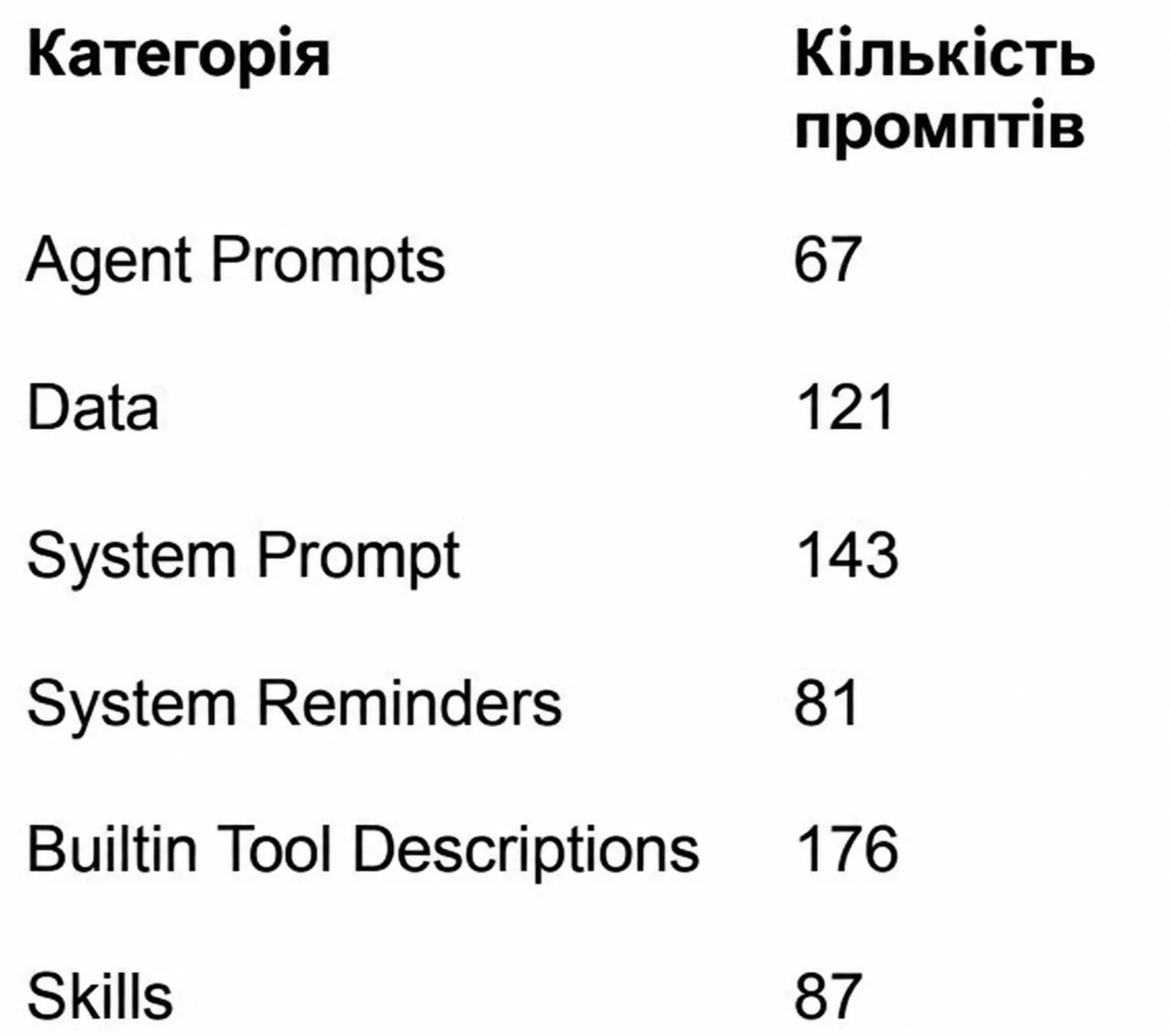
The repository categorizes its prompt collection into six functional pillars, organizing prompts by operational scope.
3.1. Distribution Across the 6 Primary Categories
The chart and table below outline the quantitative breakdown of prompt categories indexed in the library:
 Quantitative breakdown of prompt categories in the repository — illustration 1
| Category | Prompt Count | Primary Functional Scope |
|---|---|---|
| Agent Prompts | 67 | Directives for subagents, file creators, slash commands, and monitors |
| Data | 121 | Reference documentation, model specs, pricing tables, and templates |
| System Prompt | 143 | Core identity, terminal styling, permission protocols, and orchestrators |
| System Reminders | 81 | Contextual alerts regarding active modes, tool states, and trust zones |
| Built-in Tool Descriptions | 176 | Operational signatures and behavioral guardrails for internal utilities |
| Skills | 87 | End-to-end multi-step protocols for complex technical workflows |
4. Overview of Key Categories: Agents to System Reminders
Each category serves a specialized responsibility within the agent's cognitive architecture.
4.1. Agent Prompts: Subagents, Slash Commands, and Action Monitors
This section divides into four subcategories: subagents, file generation assistants, slash commands, and utility monitors:
- Agent Prompt: Explore (871 tks): Directs the specialized exploration agent to inspect file trees and read codebases without writing changes.
- Agent Prompt: /security-review (2,521 tks): Drives thorough security audits of staged changes, prioritizing exploitable attack surfaces.
- Agent Prompt: Security monitor (25,798 tks): The largest prompt in this category, establishing rigorous safety evaluation rules for autonomous actions.
4.2. Data: Reference Docs, Model Catalogs, and Artifact Templates
Static data bundles embedded directly inside the CLI to prevent redundant remote API queries:
- Claude model catalog (4,965 tks): Comprehensive catalog of Anthropic models including exact model IDs, context windows, and token pricing.
- Managed Agents core concepts (10,959 tks): Documentation outlining sessions, environments, tool policies, and container boundaries.
- Workshop artifact HTML template (49,202 tks): A complete standalone HTML/CSS/JS template for rendering published workshop deliverables.
4.3. System Prompt: Baseline Behavior, Style, and Coordinator Orchestration
Foundational building blocks assembled into the model's core conversational context:
- Emoji avoidance (31 tks): A concise directive forbidding unsolicited emoji usage.
- Harness instructions (329 tks): Defines interactive terminal formatting, permission boundaries, and shell constraints.
- Coordinator mode orchestration (5,757 tks): Directives for delegating complex tasks to worker agents and verifying deliverables.
4.4. System Reminders: Contextual Reminders and Trust Boundaries
Dynamic prompt fragments appended on-the-fly during active execution:
- Plan mode is active (147 tks): Reminds the model that file modifications are locked and questions must flow through
AskUserQuestion. - External source trust boundary (108 tks): Explicitly marks data received from third-party plugins or webhooks as untrusted.
4.5. Built-in Tool Descriptions: Utility Schemas and Command Specs
Exhaustive functional instructions provided alongside tool schemas:
- Tool Description: TodoWrite (2,037 tks): Governs task management and hierarchical todo tracking.
- Tool Description: Workflow (7,034 tks): Defines deterministic multi-agent workflows and handoffs.
- Tool Description: Bash (Git & PR guidelines) (2,450 tks): Enforces clean atomic commits and PR formatting conventions.
5. Built-in Skills and Specialized Workflows
Skills represent end-to-end procedural playbooks designed for complex engineering challenges.
5.1. Built-in Skills Catalog (Skills)
Notable skills documented in the repository include:
- Skill: Design (20,955 tks): Directs generation and publication of multi-artboard responsive Claude Design canvases.
- Skill: Verify skill (4,354 tks): Enforces an opinionated verification protocol requiring rigorous test runs before declaring tasks complete.
5.2. The Largest Prompts by Token Volume
The single largest prompt in the entire library is Skill: Model migration guide (64,306 tks). This massive playbook provides step-by-step guidance for migrating legacy client code to contemporary Claude 3.5 and 3.7 paradigms.
6. How Accuracy is Guaranteed: Extraction from Source Code
Reliability is anchored in automated extraction directly from the production binaries.
6.1. Automated Decompilation from the npm Distribution
Every prompt is programmatically extracted from the official @anthropic-ai/claude-code npm package. This eliminates human reconstruction errors; what appears in the repository is the exact bytecode executing during live user sessions.
6.2. Token Count Variance and Dynamic Runtime Slots
Because several prompts feature string interpolation placeholders (e.g., active tools, system user, host OS), real-world token counts in a local session may vary within a ±20 token tolerance from indexed baseline values.
7. Practical Customization of System Prompts with tweakcc
For developers seeking to modify or test custom variants of these system prompts locally, the community developed tweakcc.
7.1. Core Capabilities and Operating Model of tweakcc
The utility delivers three primary capabilities:
- Allows developers to author system prompt overrides as standard Markdown files.
- Automatically patches the local binary or npm installation of Claude Code.
- Provides version diffing and automated conflict resolution when upstream updates overwrite custom patches.
7.2. Safe Patching Workflows and Synchronization with Anthropic Upgrades
Because tweakcc targets the exact prompt keys catalogued in claude-code-system-prompts, customizations remain clean, reproducible, and easily reapplied following CLI upgrades.
8. Frequently Asked Questions (FAQ)
8.1. Practical Answers to Core System Prompt Questions
Can I adopt these system prompts for my own custom AI agents?
Yes. The architectural patterns for subagent delegation, tool usage guardrails (Bash, TodoWrite), and security monitors represent industry-leading benchmarks for custom autonomous agent design.
How can I quickly locate a specific prompt inside the repository?
Use GitHub repository search querying the exact slash command, tool name, or browse the categorized index tables inside README.md.
Does modifying prompts via tweakcc risk account suspension?
No. Patching client-side prompt strings with tweakcc only alters the prompt payload sent over your standard API connection, entirely within normal API client privileges.
Why do my live token counts slightly differ from the repository catalog?
Dynamic runtime slots (current working directory paths, active OS environment variables, user permissions) are evaluated on initialization, resulting in minor ±20 token variances.